 EMDR Flow
EMDR tools for remote sessions: a therapist checklist
If your practice already uses a video-call platform, EMDR Flow can provide the separate bilateral stimulation controls. Create the session on iPhone, iPad or Mac and share its six-character code; the client joins at emdrflow.app without installing the app, while you control the pace, sets and pauses from your device.
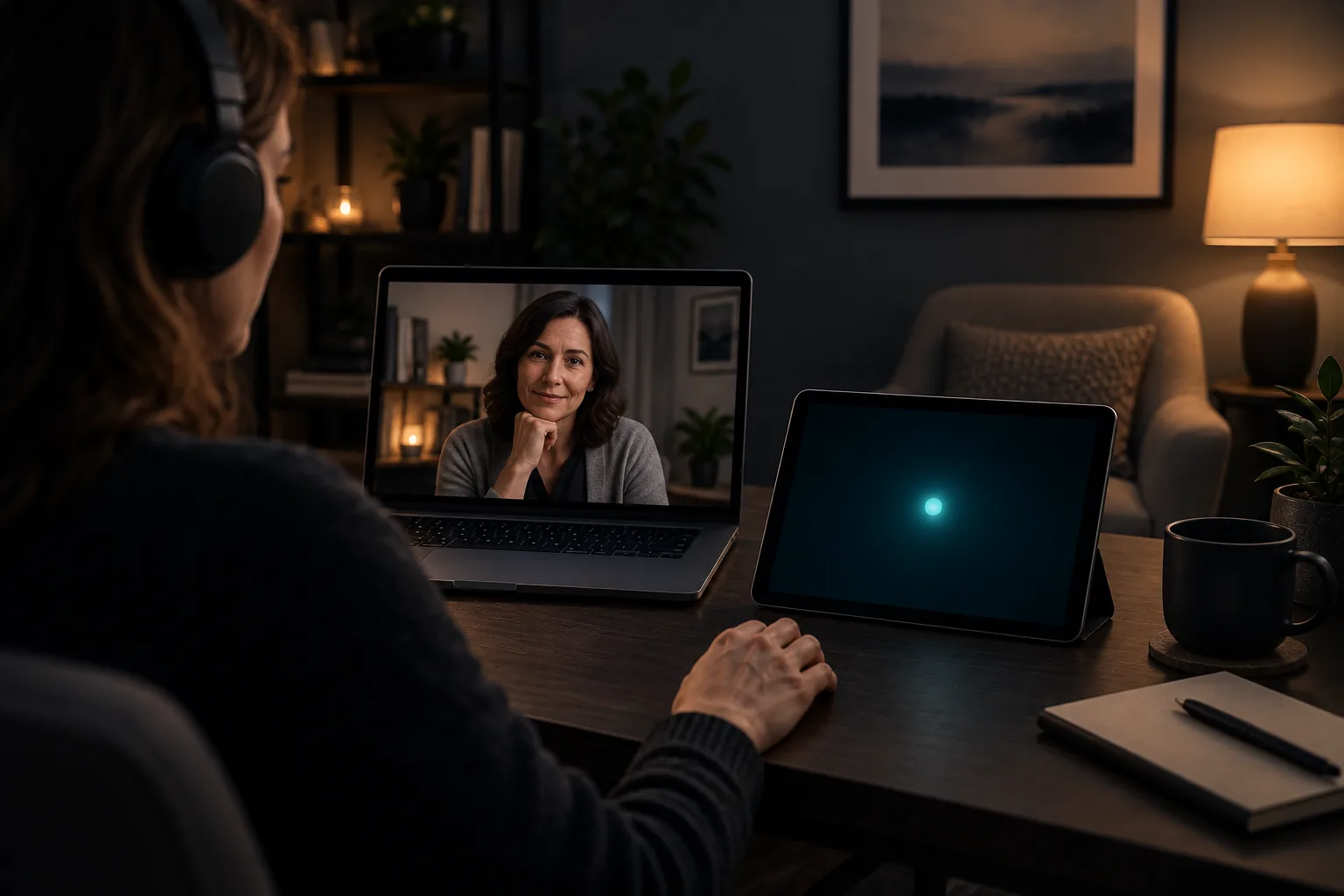
A workable remote EMDR toolkit separates the clinical conversation from bilateral stimulation and lets both participants test the complete setup before processing. At minimum, it includes a video platform appropriate for the therapist’s jurisdiction, therapist-controlled BLS, a compatible client device and a clear plan for loss of connection.
A long feature list does not solve the clinical frame. Software cannot determine remote suitability, informed consent, emergency readiness or privacy obligations on its own. The technical kit has one job: reduce friction so the therapist can remain attentive and keep control of the set.
The five parts of a remote EMDR toolkit
Video carries voice, facial cues and presence. A dedicated BLS channel carries a visual, auditory or tactile stimulus. Keeping them separate avoids screen sharing and lets the practice continue using a video service it has already assessed.
Add a second device when screen size or window management would otherwise interfere. A phone can provide haptics while a computer holds the call; a tablet offers a wider visual path. The right setup is the one both people have tested and can stop without improvised instructions.
- A professional video platform that meets the rules of your practice.
- BLS with remote start, pause, adjustment and stop controls.
- Tested headphones or speakers when alternating audio is used.
- A charged, stable client device at a comfortable viewing distance.
- A phone number and agreed backup procedure for disconnection.
Pre-session technology checklist
Take two minutes to rehearse the whole path: join the call, pair the stimulus, switch modality, stop it and reconnect. Do this during preparation, not after activation has increased. Ask what the client can see and hear because the therapist view may not reveal a problem on the other device.
Check operating-system updates, battery, Do Not Disturb, connection and volume. If two screens are used, agree which one the client watches during a set. When a session crosses jurisdictions, confirm the licensing, insurance and privacy requirements that apply.
- Confirm physical location, emergency contact and room privacy.
- Test video and audio and silence unnecessary notifications.
- Pair the BLS channel and run a test set.
- Agree on a stop signal and identify the visible stop control.
- Review what each person will do if an app stops responding.
Test the whole workflow on two devices
Create a session, pair a client device and verify visual, audio, haptics and immediate stop before using the setup professionally.
Download EMDR Flow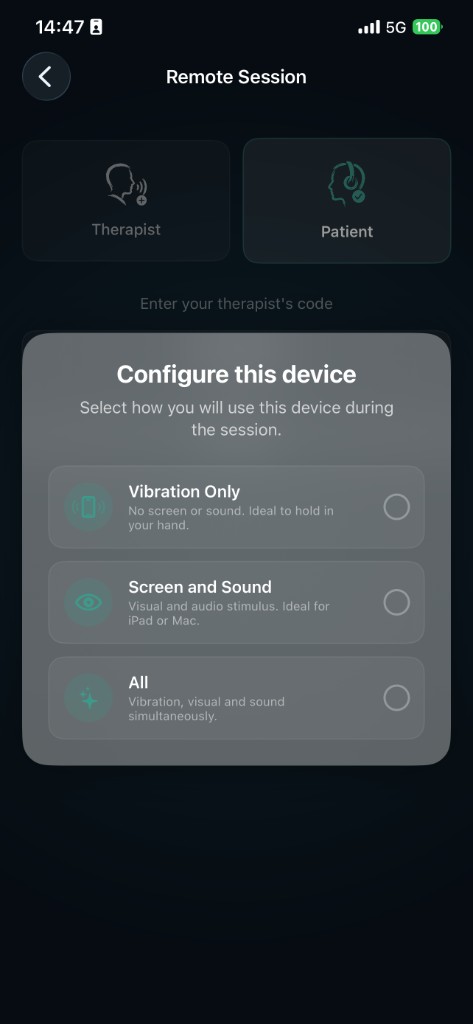
How to compare remote EMDR tools
Start with the real workflow. Can the client join without another clinical account? Can the therapist change pace or modality without leaving the call? Is immediate stop available? What data passes through the service and how long is it retained? A focused tool that answers these questions clearly may be more useful than a crowded dashboard.
Check accessibility and device compatibility rather than accepting a menu label as proof. Visual BLS fails if browser chrome covers the path. Alternating audio needs a left-right test. Haptics require an agreed way to hold the devices. Each modality should be verified on the equipment that will be used in the session.
Where EMDR Flow fits
EMDR Flow creates a session code that pairs the therapist and client devices. The clinician can conduct visual, auditory or haptic cues and adjust the set from their screen. The video call stays on the telehealth platform selected by the practice, so adopting the BLS channel does not require replacing the existing video system.
The app is a session tool for qualified professionals. It is not a clinical record and it does not select targets, assess readiness or conduct closure. Review its documentation alongside the legal, organizational and professional duties that apply to your work.
Frequently asked questions
What tools do I need for remote EMDR?
The technical baseline is an appropriate video service, therapist-controlled BLS, tested devices and a disconnection plan. Clinical assessment and safety procedures remain professional responsibilities.
Does EMDR Flow include video calling?
No. It works alongside the telehealth platform selected by the clinician. EMDR Flow pairs devices and carries the bilateral-stimulation controls.
Professional reference: EMDRIA guidance for virtual EMDR therapy.